Reissue Your API Key
Replace your API key with a new one on the API Access & Keys page, for example after it has been exposed, and update every place you use it.
Reissuing your API key replaces it with a new one. Your old key stops working right away, and your credit balance stays the same. You can reissue your key yourself on the API Access & Keys page.
Why You Might Reissue Your Key
- Your key has been exposed. For example, you pushed it to a public repository, or pasted it into a shared notebook, a chat or a support ticket. It may also have shown in a screenshot or a screen share. Your key is part of the API request URL, so sharing that URL or a log line exposes it too.
- You see credit usage you don't recognize. If your balance or credit history shows jobs you didn't run, reissue your key first so nobody else can start new jobs with it. Then contact support@gamma.earth.
- You want to change keys regularly. Replacing your key from time to time limits the damage if it leaks without you noticing. Good moments are when you finish a project or clean up old setups.
Before You Reissue
- List every place you use your key so you can update them all afterwards: API requests, Python SDK scripts, Google Colab notebooks and the QGIS plugin.
- If jobs are running, wait for them to finish if you can.
- Plan to update your connections straight away. They stop working as soon as you reissue the key.
Reissue Your Key
-
Sign in to the Gamma Earth portal and open API Access & Keys in the left panel.
-
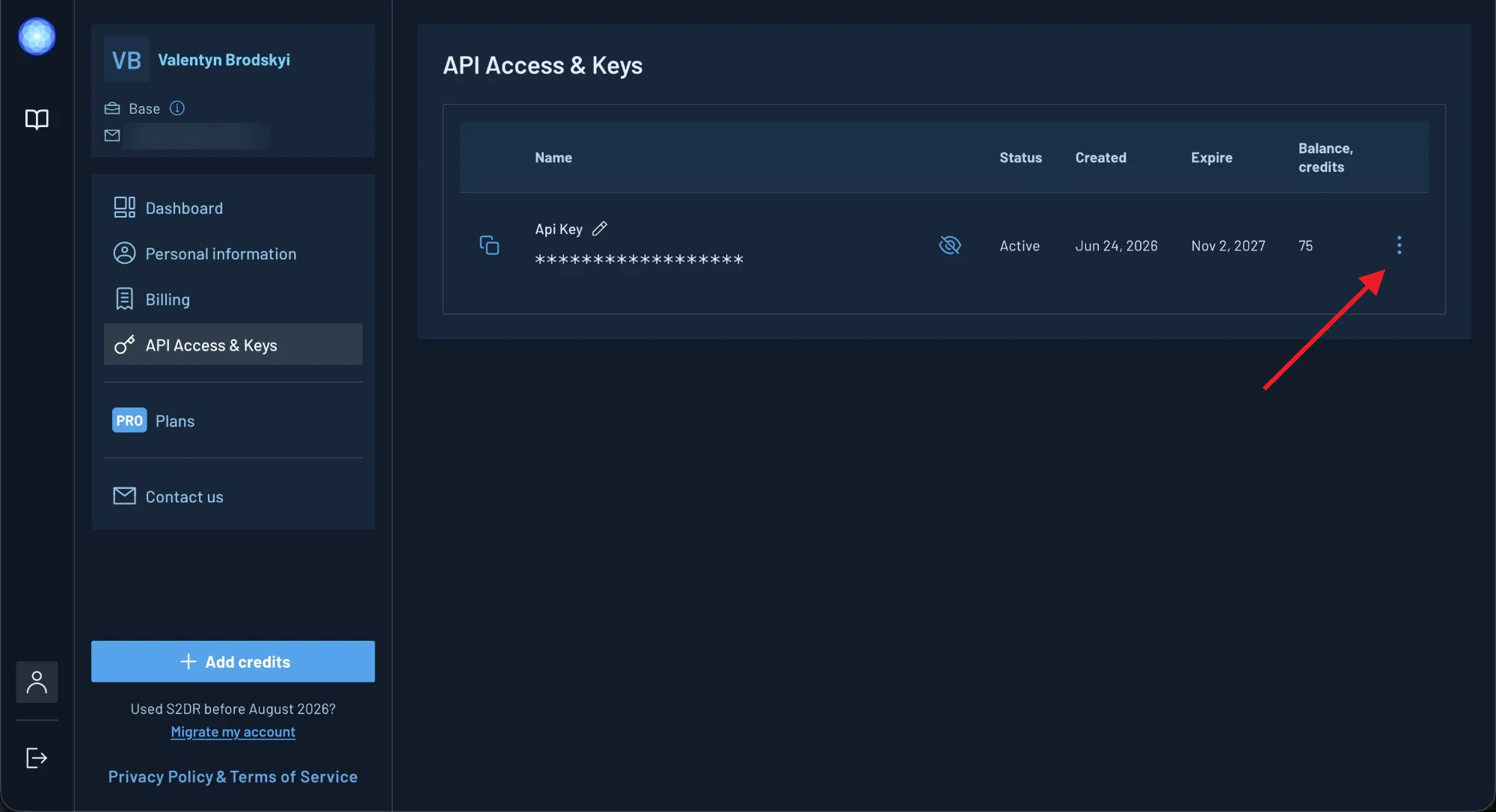
Click the three-dot icon at the end of the key row.
-
Click Reissue API key.
-
Read the confirmation and click Reissue key. To keep your current key, click Cancel.
-
When New API key generated appears, click Copy API key to copy your new key.
The message closes after a few seconds. You can copy your new key at any time with the copy icon at the start of the key row.
What Happens When You Reissue
- Your old key stops working immediately. Requests, scripts, notebooks and plugins that still use it fail with an invalid API key error.
- Your credits and key name stay the same. Your balance, purchased credits and bonus credits don't change.
- Your key is active for at least a year. Its status becomes Active, and the Expire date moves to one year from the day you reissue. If your key was already valid for longer, it keeps its later date.
- You can't undo a reissue. Your old key can't be restored. If you need another key, reissue again.