Migrate Your S2DR Account
Link the 8-digit user ID from your pre-August 2026 S2DR account to your Gamma Earth account, and fix common migration problems.
If you used the S2DR API or SDK before August 2026, you received an 8-digit user ID by email. In August 2026 we upgraded our processing infrastructure and replaced that system with API keys.
Migration links your old user ID to your new account. It takes less than a minute.
Before You Start
You will need:
- Your old 8-digit user ID. You'll find it in the email we sent you when you first signed up for S2DR.
- An account on the new platform. If you don't have one yet, sign up first; see Register and Log In.
Migrate Your Account
-
Log in to your account.
-
Click the Profile icon in the left sidebar.
-
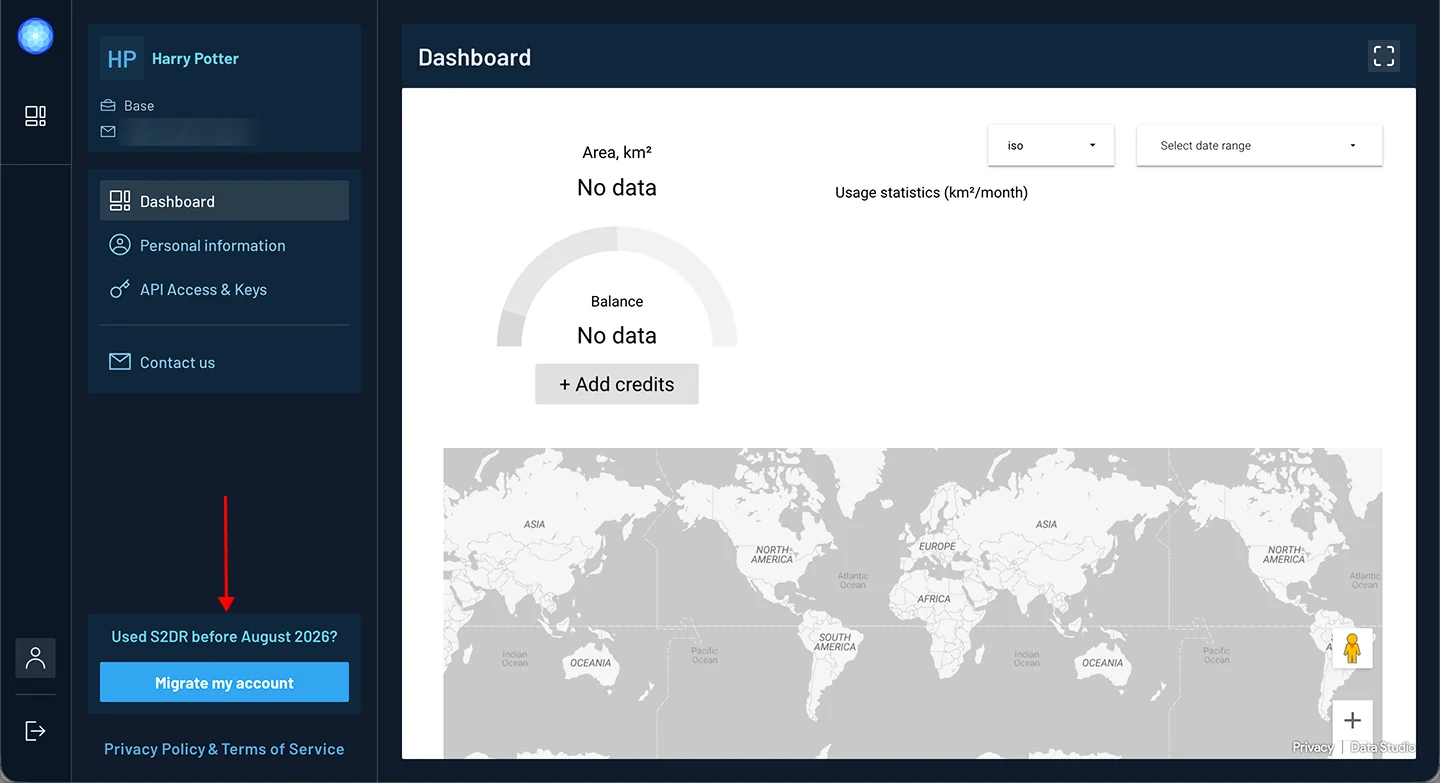
Below the menu on the left (Dashboard, Personal information, API Access & Keys, …), find Used S2DR before August 2026? and click Migrate my account.
-
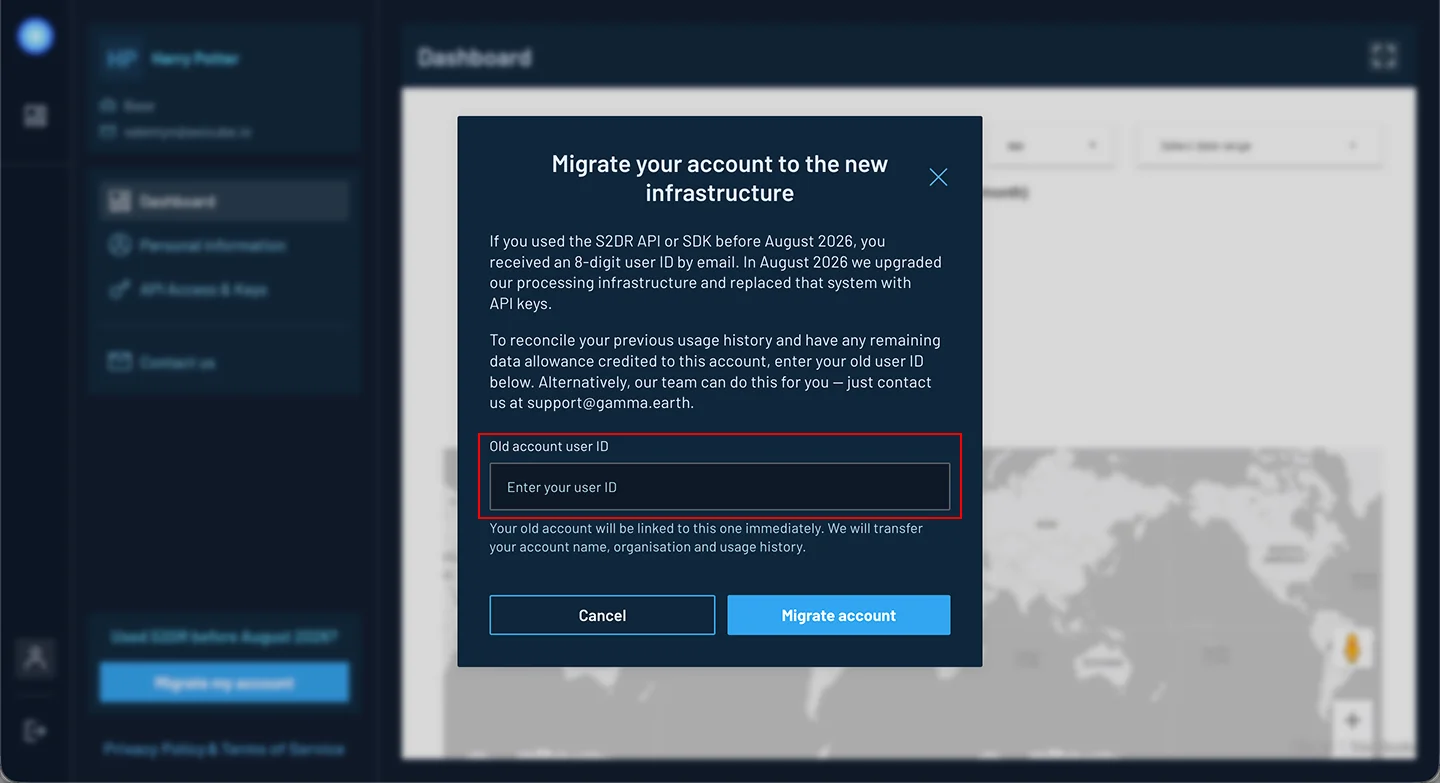
In the Old account user ID field, enter your old user ID.
-
Click Migrate account.
That's it. You'll see the message Account migrated successfully., and the migration section will disappear from your profile.
What Happens After Migration
- Your old user ID is linked to your new account immediately.
- Your usage history is transferred to your new account, and any remaining data allowance on your old account is credited to it.
- The name from your old account is saved as your Organization, replacing any organization you had entered. You can change it at any time on the Personal information page.
- Your email, user name, API key and plan stay exactly as they were.
If you have questions about the remaining data allowance on your old account, contact us at support@gamma.earth.
If Something Goes Wrong
When migration fails, the window stays open, so you can fix the ID and try again.
| Message | What to do |
|---|---|
| Enter your old account user ID. | The field is empty. Enter your user ID. |
| Legacy user not found | We couldn't find this ID. Check it against the email you received before August 2026 and make sure there are no extra characters. |
| Legacy user ID is already linked to another account | This ID is already linked to a different account, for example if you created more than one account. Contact support. |
| User is already linked to a different legacy account | Your account is already linked to another old user ID. Contact support. |
| Any other message | Try again in a few minutes. If it keeps happening, contact support. |
I Can't See the Migration Option
- Your account is already migrated. The option disappears once your old ID is linked.
- You signed up through the Google Colab link. Self-service migration isn't available for these accounts. Contact support and we'll migrate it for you.
- You're not on your profile. The option only appears on your profile pages. Click the Profile icon in the left sidebar.
Can I Change the Linked ID Later?
Each old user ID can be linked to only one account, and the link can't be changed from the app. If you linked the wrong ID, contact support.
Want Us to Do It for You?
Email support@gamma.earth and include:
- the email address of your new account;
- your old 8-digit user ID.
Our team will migrate your account for you.