API Latest Release Version 0.2
Create an account, copy your API key, then submit S2DR3 processing jobs, check job state, and locate generated outputs with the RISC API.
Release label: 20260827. This release moves the API to AWS.
The RISC API lets you submit asynchronous S2DR3 processing jobs. A job submission returns metadata immediately. The generated products appear in the corresponding storage location after processing.
Before You Start
Complete these three steps once, before your first request.
1. Create your Gamma Earth account
Go to app.gamma.earth/register and register with your preferred sign-in method.
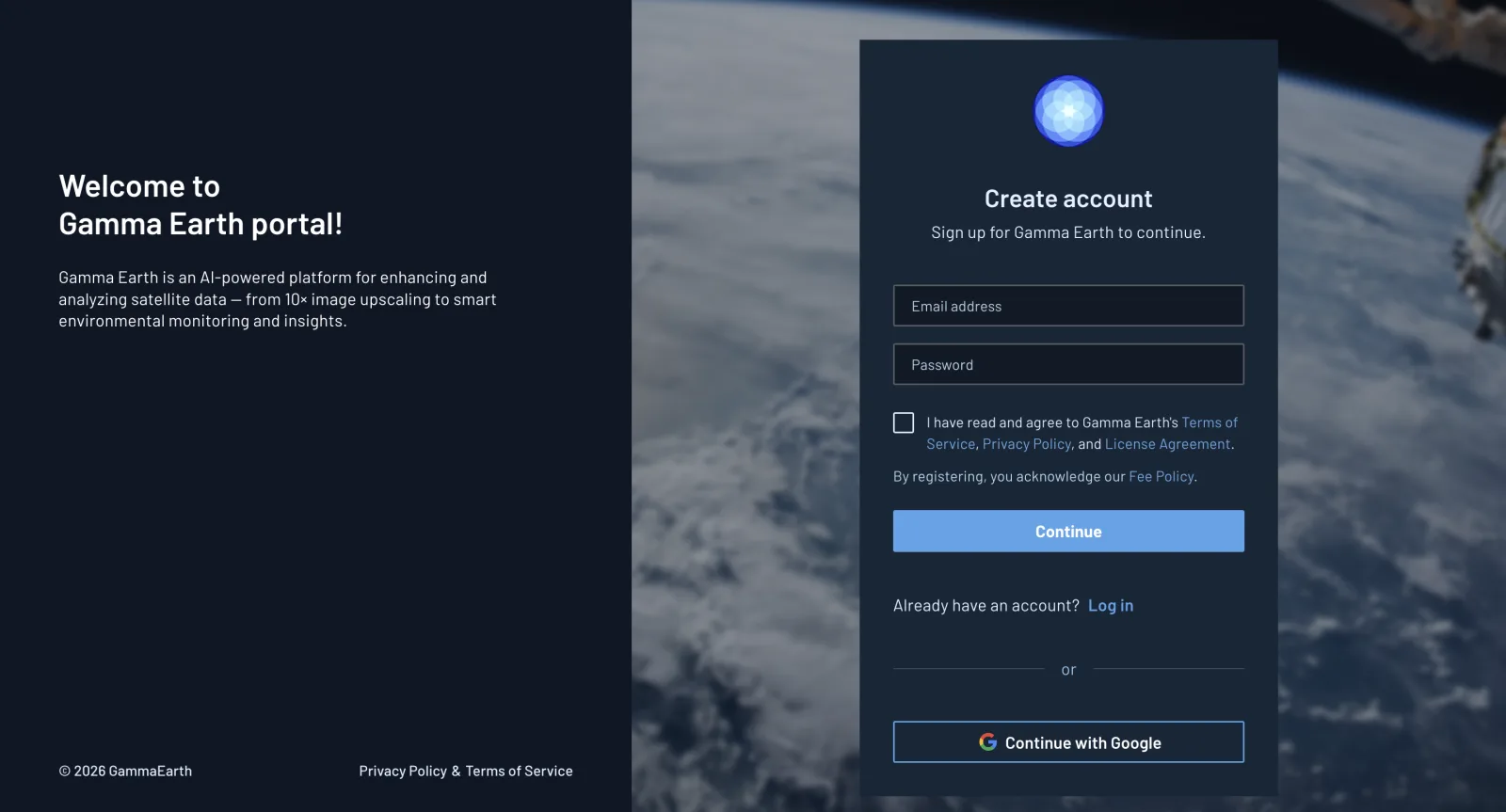
2. Copy your API key
Your API key is generated automatically when you register. Go to API Access & Keys (left panel) and copy the key.
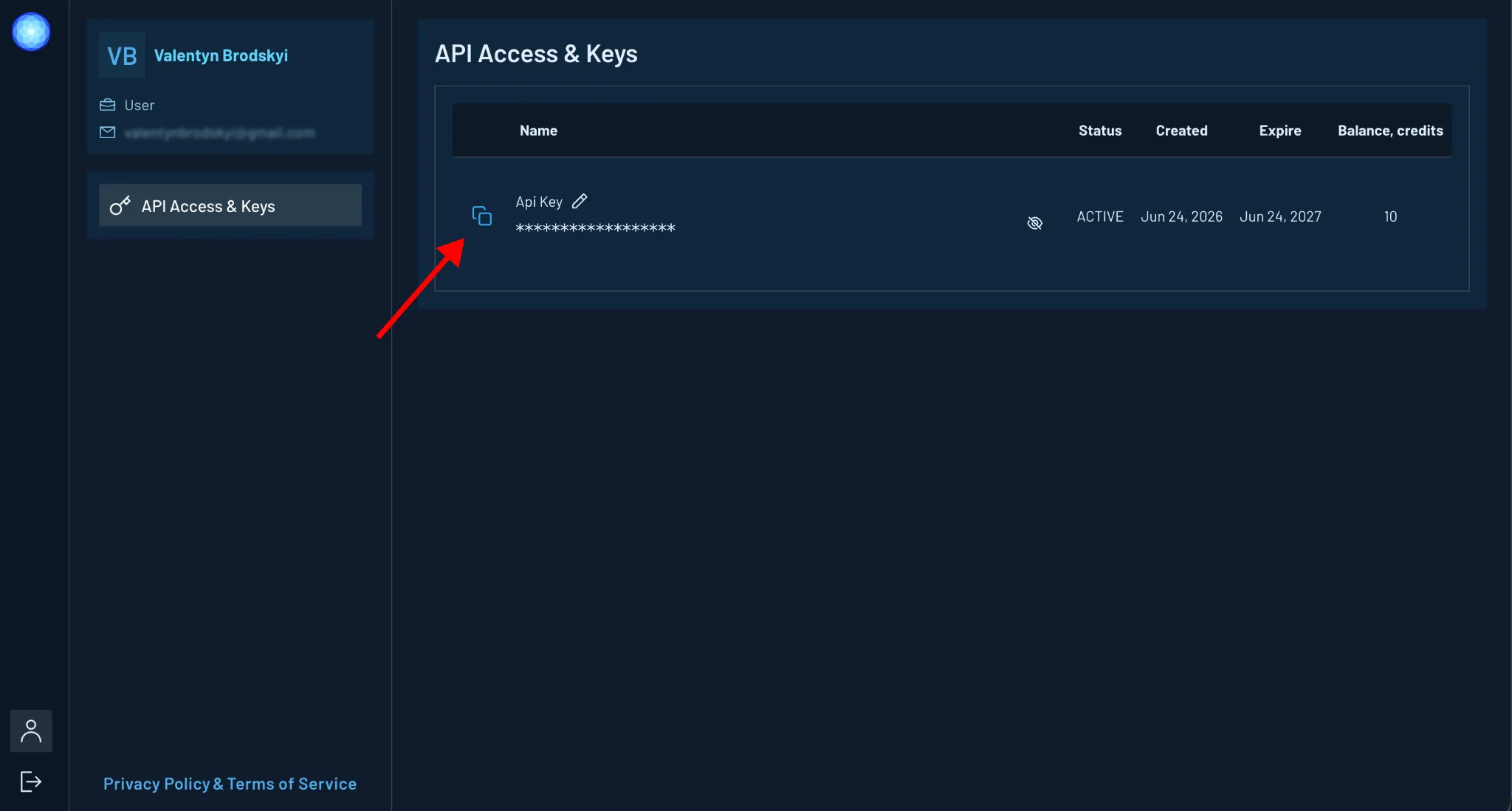
Keep your API key private. Do not share it with anyone. Because the key is part of the request URL, treat any URL, log line, notebook output, or shared screenshot that contains it as a secret.
3. Use your API endpoint
Call the API at:
https://api.gamma.earth/jobs/{API_KEY}
Replace {API_KEY} with the key you copied in step 2. Every example below uses
this endpoint.
Migrating from the previous endpoint
Gamma Earth is migrating the API from Google Cloud to AWS, to improve stability
and speed. https://api.gamma.earth/jobs/{API_KEY} is the address that comes
out of that move.
If you have an existing integration that posts to
https://s2dr3-job-20250428-862134799361.europe-west1.run.app/{USER_ID}
point it at https://api.gamma.earth/jobs/{API_KEY} instead, using the API key
from your portal in place of the user ID.
The migration changes the endpoint and the credential. Job state checks and output storage work exactly as before.
Submit a Job
Endpoint:
https://api.gamma.earth/jobs/{API_KEY}
Method:
POST
Example payload:
{
  "date": "2023-05-01",
  "aoi": "19.93 49.28 20.00 49.35"
}
Request Parameters
| Parameter | Required | Description |
|---|---|---|
date | Yes | Exact Sentinel-2 scene date. The request fails if the scene does not exist. |
aoi | Yes | Bounding box for the area of interest in minx miny maxx maxy order. The source states the AOI should not exceed 150 km2 / a 12x12 km bounding box. |
Example Response
The API returns job metadata, not the processed data itself.
{
  "uid": "xxxx",
  "job_id": "a3781528-90c4-11f1",
  "date": "20230815",
  "MGRS": "36UUB",
  "ISO": "UA",
  "aoi": "30.842 51.394 30.872 51.422",
  "save_path_MS": "gs://sentinel-s2dr3/UA/T36UUB/T36UUB-56afc34a2/S2L2Ax10_T36UUB-56afc34a2-20230815_MS.tif",
  "save_path_TCI": "gs://sentinel-s2dr3/UA/T36UUB/T36UUB-56afc34a2/S2L2Ax10_T36UUB-56afc34a2-20230815_TCI.tif",
  "save_path_S3_TCI": "s3://s2dr3-output/UA/T36UUB/T36UUB-56afc34a2-20230815/S2L2Ax10_T36UUB-56afc34a2-20230815_TCI.tif",
  "date_range": "7",
  "sid": "56afc34a2",
  "pid": "T36UUB-56afc34a2-20230815",
  "no_bands": "10",
  "make_preview": "true"
}
Important response fields:
| Field | Description |
|---|---|
job_id | Identifier used to check processing state. |
save_path_S3_TCI | S3 path for the super-resolved true-color dataset. Download your results from here. |
save_path_TCI | Google Cloud Storage path for the same true-color dataset. |
save_path_MS | Google Cloud Storage path for the super-resolved multispectral dataset. |
pid | Product identifier for the generated scene. |
Check Job State
Append the job_id from the submission response to your endpoint:
https://api.gamma.earth/jobs/{API_KEY}/{job_id}
Method:
GET
Example response:
{
  "PID": "T35UQR-u8600146-20230810",
  "State": "completed",
  "jobID": "e26bb408-d330-11ef"
}
One Colab example shows a lowercase state field in the returned JSON. Treat
field casing as an implementation detail until the public API response schema
is confirmed.
Download Outputs
Download your results from save_path_S3_TCI.
The response also returns save_path_TCI and save_path_MS as gs:// Google
Cloud Storage paths. save_path_MS is the only route to the multispectral
product, since the response carries no S3 path for it. To fetch a gs:// path,
convert it to an HTTPS URL first:
save_url_MS = save_path_MS.replace("gs://", "https://storage.googleapis.com/")
Tile Server URLs
The source includes tile-server patterns for TCI, NDVI, and IRP COG outputs.
Use the documented placeholders for MGRS, SID, and PID when building tile
URLs.